Nowadays, using videos for marketing is a must.
Recent reports show that nearly 89% of businesses use video in marketing, while AI tools cut production time by up to 70% for repeated tasks. That is one reason multi-AI video platforms are growing fast.
Earlier, creators often used one AI tool for one task. Now, that feels limiting.
One model may create strong motion, another may deliver better facial detail, while a third handles voice sync more naturally.
That is where multi-AI video generation software becomes valuable.
So instead of depending on one engine, creators can now move between models for better control, faster output, and more flexible results.
This approach is called multi-model orchestration, using multiple AI systems together to create a stronger final video instead of relying on one model alone.
That is why newer tools are focusing less on hype and more on workflow control.
This guide covers the top 7 multi-AI video generation software options and breaks down 10 tools worth exploring based on quality, speed, editing flow, and cost.
What Is Multi-AI Video Generation Software?
Multi-AI video generation software combines multiple AI models in one platform, allowing users to create videos using the strengths of different generation engines.
Unlike single-model tools that rely on one AI system, these platforms offer greater flexibility, more output styles, and better-quality results. They also streamline workflows and can be more cost-effective by providing access to multiple AI models under a single subscription.
How Modern Multi-AI Video Generation Works
Modern AI video generators are built using diffusion models or transformer-based systems trained on large video and text datasets.
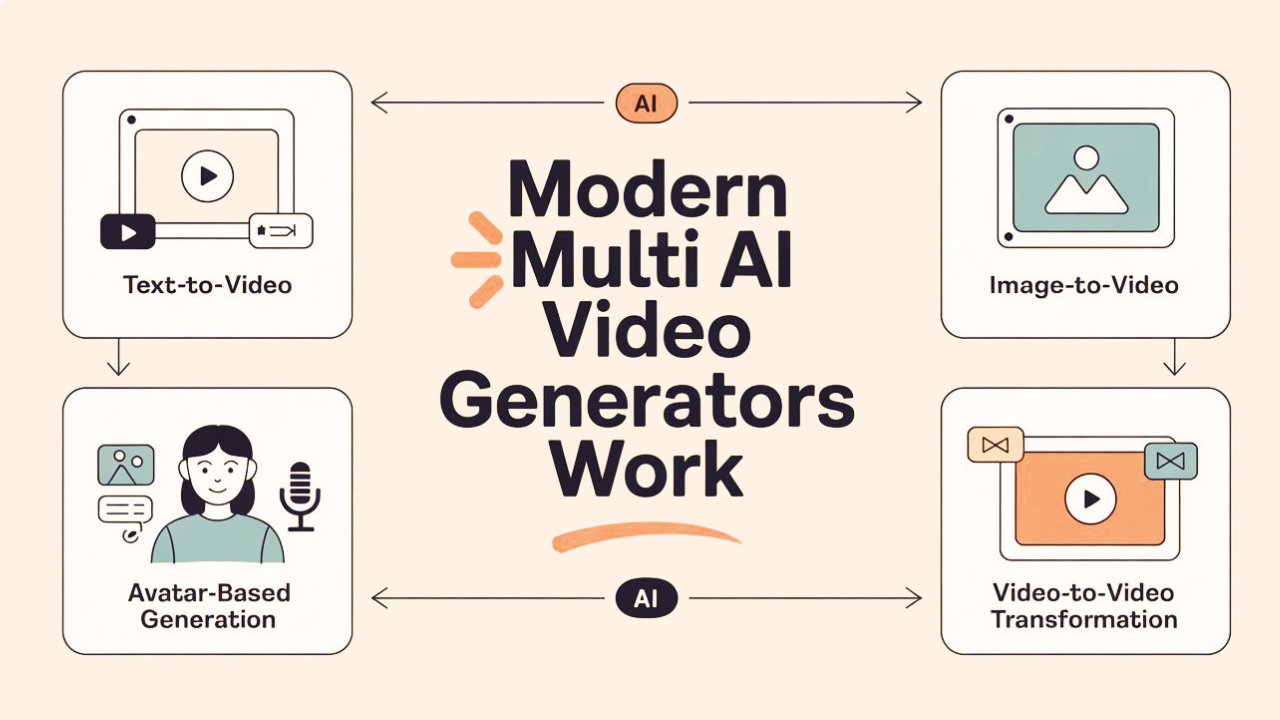
These systems learn how words connect with visual motion, then create new video content from prompts. The main generation types used today are:
> Text-to-video: A written prompt creates a full video clip
> Image-to-video: A still image is animated with controlled motion and camera movement
> Avatar-based generation: A character (real or AI-generated) is animated with lip-synced audio
> Video-to-video transformation: An existing video is re-styled, edited, or extended
What You Should Check Before Choosing Multi-AI Video Generation Software
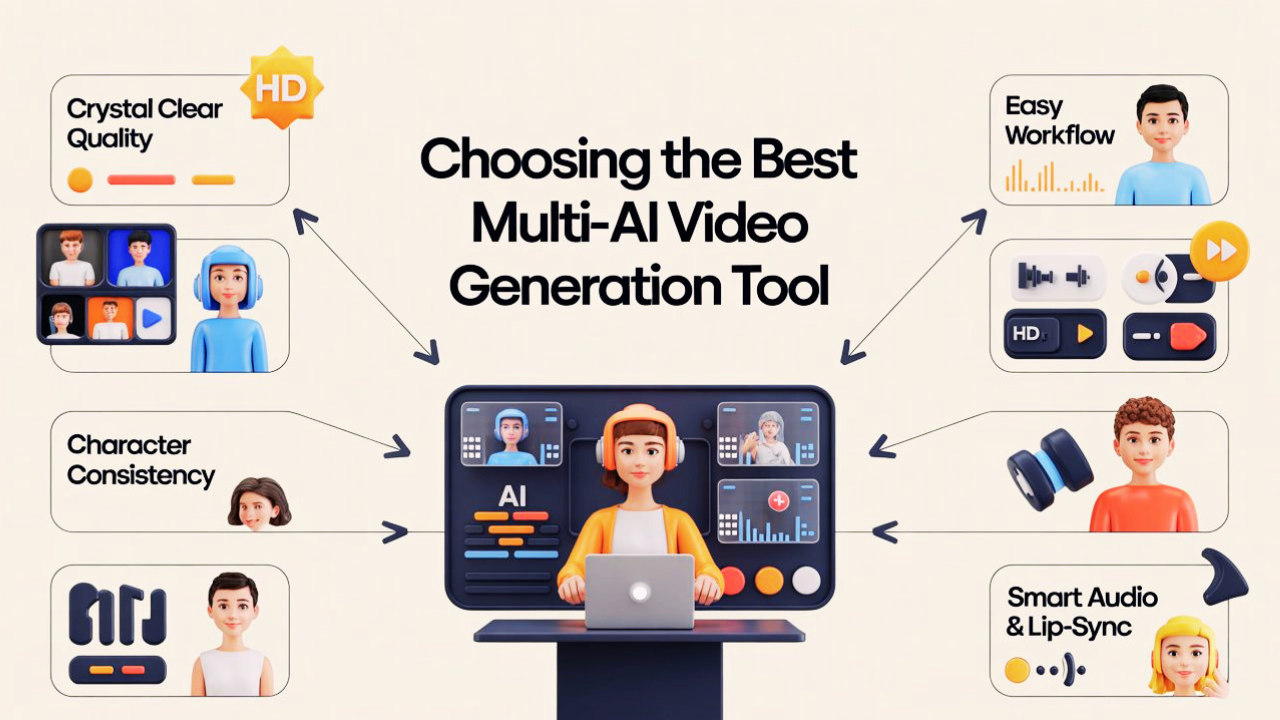
1. Crystal Clear Quality
You need to check how naturally each multi-AI video generation software handles movement and object behavior inside a scene.
If a glass falls and breaks, the pieces should move naturally, and if liquid appears, it should react believably.
2. People Who Actually Look the Same (Consistency)
You also need to see if a character keeps the same appearance across different shots. If someone starts with a red hat and beard, those details should remain the same later in the video.
With the correct help, Vidko offers top-notch AI models that let users create films with the necessary motion and effects in a matter of seconds from text prompts or static photos.
3. Easy to Use, Hard to Break (Workflow)
You shouldn't need a PhD to make a video and evaluate the "Director’s Control." It should be possible to change scene details, lighting, or camera direction without having to start over.
4. Smart Sound & Lip-Sync (Audio)
You can look for tools with Built-in Audio. These include "Background Foley," where the AI automatically inserts noises like birds tweeting or passing automobiles based on what's happening on screen, and "Smart Lip-Sync," where the lips exactly match the speech.
The 7 Best Multi-AI Video Generation Tools
Tool 1: Vidko→ All-in-One AI Video Generation Platform
About the Tool

Top-generation models, such as Luma Dream Machine, are combined into a single dashboard by Vidko, a multi-AI video platform.
Instead of staying limited to one system, you can switch between different AI engines to create different types of video content more easily. It also includes white-label features, which means you can present the platform as your own service if needed.
Advantages
👍 Access multiple top AI video models in a single place.
👍 One-time purchase, no monthly subscription needed.
👍 BYOK lowers the cost of long-term production
👍 White-label option for agency/business use
Disadvantages
👎 Output quality depends on the selected AI model
What Makes It Different?
→ Uses multiple models instead of one engine
→ Designed for cost control and scale
→ Supports reselling as your own service
Best For
→ Content creators
→ Marketing agencies
→ High-volume video production
Tool 2: Hedra → Leader in AI Lip-Sync & Avatar Video

Hedra is well-known for developing AI multi-video generating algorithms with great lip sync and genuine facial movement.
Its facial animation often feels more natural because expressions stay smooth, mouth movement matches speech closely, and characters look more realistic on screen.
Advantages
👍 Strong lip-sync quality
👍 Supports multiple AI video models
👍 Low-cost live avatar generation
👍 Free credits available to begin
Disadvantages
👎 Credits renew monthly without rollover
👎 Less suited for cinematic-style videos
What Makes It Different?
→ Combines image, text, and audio
→ Delivers highly natural lip-sync output
→ Brings multiple AI models into one workflow
Best For
→ Marketers and social creators
→ Educators and trainers
→ Developers building avatars or AI assistants
Tool 3: Runway → AI Video Platform for Cinematic Content

Runway is widely used in cinematic AI video creation because it provides more than just prompt-based generation.
You get creative controls like camera movement, keyframes, motion editing, inpainting, and character reference tools, making the workflow closer to professional video production.
Advantages
👍 Strong cinematic output quality
👍 Advanced camera and motion control
👍 4K export for professional editing
👍 Good character consistency across scenes
Disadvantages
👎 Takes time to learn fully
👎 Credit-based pricing can become costly
👎 Heavy use may hit generation limits
What Makes It Different?
→ Built with filmmakers in mind
→ Combines AI generation with editing control
→ Focuses more on quality than speed
Best For
→ Filmmakers and VFX creators
→ Creative agencies
→ Marketing teams producing premium visuals
Tool 4: Google Veo → Premium AI Video with Native Audio

Google Veo generates dialogue, sound effects, and ambient soundscapes directly from text prompts using native synchronized audio and near-photorealistic 4K output.
This solves one of Al video's long-standing problems, which is maintaining character consistency from shot to shot.
Advantages
👍 Video and audio generated together
👍 High-quality 4K-style visuals
👍 Good character consistency with reference images
👍 Understands cinematic instructions well
Disadvantages
👎 Complex multi-character scenes can be difficult
👎 Fewer manual controls than some advanced tools
👎 Audio may vary in fast-action scenes
What Makes It Different?
→ True all-in-one generation (video + voice + sound)
→ Backed by Google’s ecosystem and AI infrastructure
→ Designed for cinematic storytelling at scale
Best For
→ Advertising agencies
→ Enterprise teams & global brands
→ Filmmakers creating dialogue-driven content
Tool 5: Pika 2.5 → Fastest Tool for Viral Short-Form Content

Pika is intended for YouTube Shorts and Reels creators who want visually appealing content quickly and with a low learning curve. It is built for speed, creativity, and viral reach.
These effects have produced consistently viral content and given Pika a loyal following among social media creators.
Advantages
👍 One of the fastest AI video tools available
👍 Unique viral effects (not found in other platforms)
👍 Extremely beginner-friendly (first video in minutes)
👍 Improved motion consistency with minimal flicker
Disadvantages
👎 Not suitable for cinematic or long-form content
👎 Credits don’t roll over
What Makes It Different?
→ Built specifically for short-form, viral content
→ Focus on speed + creativity over realism
→ Exclusive visual effects system (Pikaffects)
Best For
→ Social media creators
→ TikTok, Reels, and Shorts producers
→ Marketers needing fast, scroll-stopping content
Tool 6: MiniMax Hailuo AI → Cinematic AI Video with Motion

Hailuo is particularly praised for its visual storytelling capabilities: automated pans, tilts, and dolly shots that rival professional steadicam work.
It also supports precise control over character animation and camera angles via prompt, making it accessible for creators who do not want to manage complex Ul controls.
Advantages
👍 Top-ranked model for video quality (Hailuo 02)
👍 Cinematic camera movements with smooth transitions
👍 Strong physics and motion realism
👍 Flexible usage (web + API access)
Disadvantages
👎 Newer models may be slower on lower-tier plans
👎 Credits reset monthly (no rollover)
👎 Fewer editing features compared to tools like Runway
What Makes It Different?
→ Combines ease of use with strong visual storytelling
→ Offers both creator-friendly UI + developer-level API access
Best For
→ Creators making short-form cinematic content
→ Developers integrating AI video via API
→ Marketers showcasing products with motion
Tool 7: Descript or Underlord AI → AI Video Editing Simple as Text

Rather than generating video from scratch, Descript is an AI-powered editing platform that makes existing footage dramatically faster to work with.
Underlord Al toolkit transforms video editing from a timeline-based process into a document-editing workflow: you edit the transcript, and the video changes accordingly.
Advantages
👍 Edit video by editing text (extremely intuitive)
👍 One-click studio-quality audio cleanup
👍 Automatic speaker detection and camera switching
👍 AI-generated highlight clips for social media
Disadvantages
👍 Cannot generate videos from scratch
👍 Not suitable for AI avatars or text-to-video
👍 Transcription limits on lower plans
What Makes It Different?
→ Focuses on editing, not generation
→ Built specifically for spoken-word content workflows
→ Turns complex editing into a simple, text-based process
Best For
→ Educators and course creators
→ Corporate training teams
→ Anyone working with long-form video content
How to Choose the Right Multi-AI Video Generation Software for the Workflow
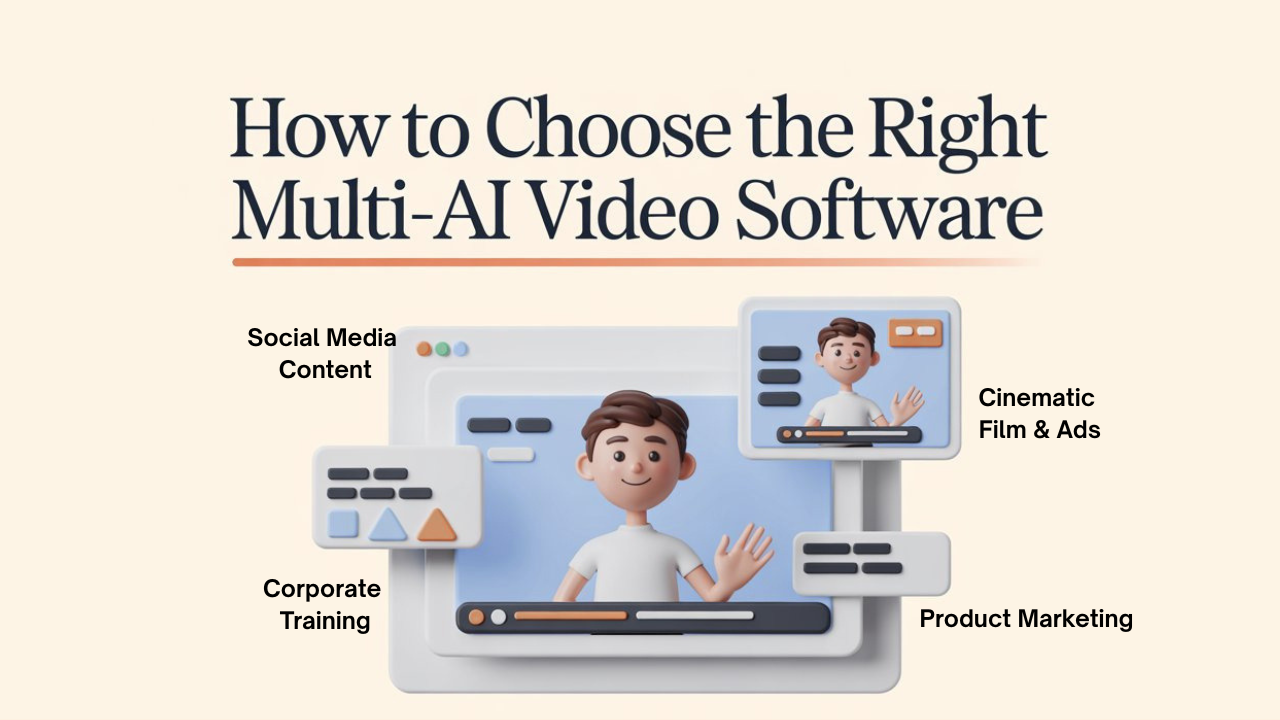
Finding the right software depends entirely on what you’re trying to build and where it will be posted. Select the engine that best suits the demands of your particular project.
A. For Social Media (TikTok/Reels/Shorts)
Pika Labs or Vidko can be a good fit if you need quick turnaround times, creative effects, and quick output for brief content that will draw more attention on social media.
B. For Product Marketing
MiniMax Hailuo AI provides the best structural stability for displaying a physical item from all angles without warping or "hallucinating."
C. For Corporate Training & HR
If you need a clear presentation with human-like speakers for internal videos, Colossyan or DeepBrain AI are often preferred.
D. For Cinematic Film and Premium Ads
If you require precise control over camera movement, lighting, and scene quality, Runway or Google are better options.
Conclusion
What matters now is not just which tool can generate a video, but how well different tools can work together in one smooth workflow.
In many cases, stronger results come from combining the right models for motion, visuals, voice, editing, and consistency instead of expecting one platform to handle everything alone.
That is why multi-AI video generation is becoming more about workflow design than one-click generation. Among the tools discussed, Vidko stands out for users who want access to multi-AI capabilities without making the process harder, especially when daily speed and flexibility matter.
The "perfect" software doesn't exist, but the perfect workflow does. By mixing and matching these tools, you can turn an idea into a 4K reality in minutes instead of weeks.
The creators who learn this early will likely shape how video content is built next.
FAQs About Multi-AI Video Generation Software
Q: Do you need separate subscriptions for every tool?
Ans: Not necessarily. Tools like Hedra and Vidko give access to multiple models in one place, though some premium engines may still need separate access.
Q: Can multi-AI video be used commercially?
Ans: Yes, but it depends on the plan. Free versions often limit usage, while paid plans usually include commercial rights.
Q: Are these tools replacing human video editors?
Ans: The answer is no, and while they speed up production, human intervention is still required for direction, editing, and overall quality.